
Download BatteryCare – battery monitoring, energy-saving, notebook battery, power management, battery longevity
Overview
BatteryCare is a specialized mobile application designed to assist notebook users in optimizing their device’s battery performance and extending its lifespan. The app addresses the common challenge of limited battery life, particularly for individuals who rely on their devices while working remotely or traveling without access to power outlets. By offering real-time insights into energy consumption and environmental factors like temperature, BatteryCare enables users to make informed decisions about their device’s power usage.
Targeted primarily at productivity-focused users, students, remote workers, and digital nomads, the app provides a practical tool for managing battery health. Its core purpose is to prevent premature battery degradation through proactive monitoring and intelligent adjustments. The developer, Jason A. Bilbrey, has created a focused utility that prioritizes functionality over complexity, making it accessible to users across technical skill levels.
Real-world use cases include optimizing battery life during long flights, extending usage time during presentations, or maintaining device stability during intensive tasks. In the broader app ecosystem, BatteryCare fills a niche for lightweight, efficient battery management tools that do not rely on excessive permissions or background processes. Its presence supports the growing demand for energy-conscious software in mobile and hybrid computing environments.
Key Features & Functionality
- Real-time Energy Monitoring: BatteryCare delivers live data on power consumption across system components and active applications. This feature allows users to identify resource-heavy processes and take corrective action, such as closing unused apps or adjusting performance settings.
- Temperature Checks: The app continuously monitors device temperature, a critical factor in battery longevity. Elevated temperatures can accelerate battery wear, and BatteryCare alerts users when thresholds are exceeded, enabling timely intervention.
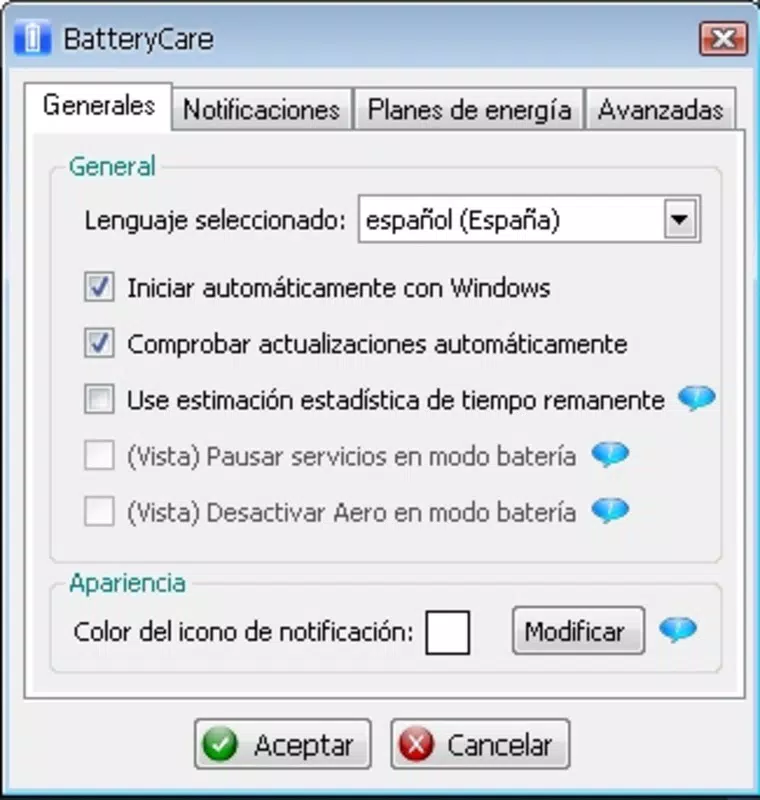
- Custom Battery Modes: Users can define personalized power profiles based on activity types—such as gaming, web browsing, or document editing. Each mode adjusts system behavior to balance performance and battery efficiency according to user needs.
- Energy-Saving Suggestions: Based on usage patterns, the app generates tailored recommendations to reduce power drain. These may include disabling unnecessary background syncs, lowering screen brightness, or adjusting CPU performance.
- User-Friendly Interface: The app features a clean, minimalist design with intuitive navigation. Essential tools are accessible from the main dashboard, reducing the learning curve and enhancing usability for non-technical users.
For example, a remote worker preparing for a day-long meeting can activate a “low-power” mode to preserve battery until a charging opportunity arises. Similarly, a student using a notebook during a lecture can quickly check which app is consuming the most power and close it to extend runtime.
Interface, UX & Performance
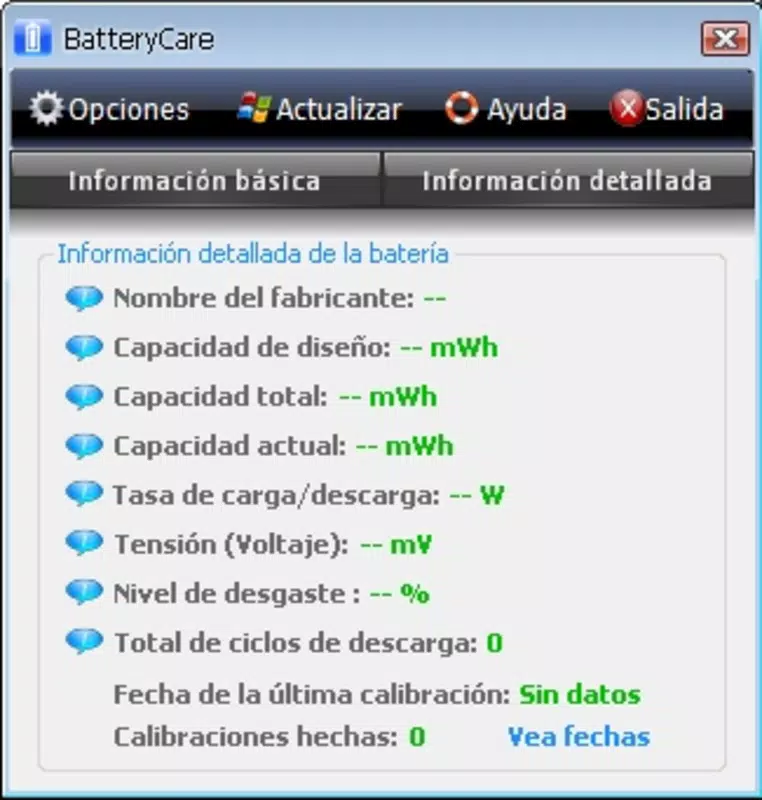
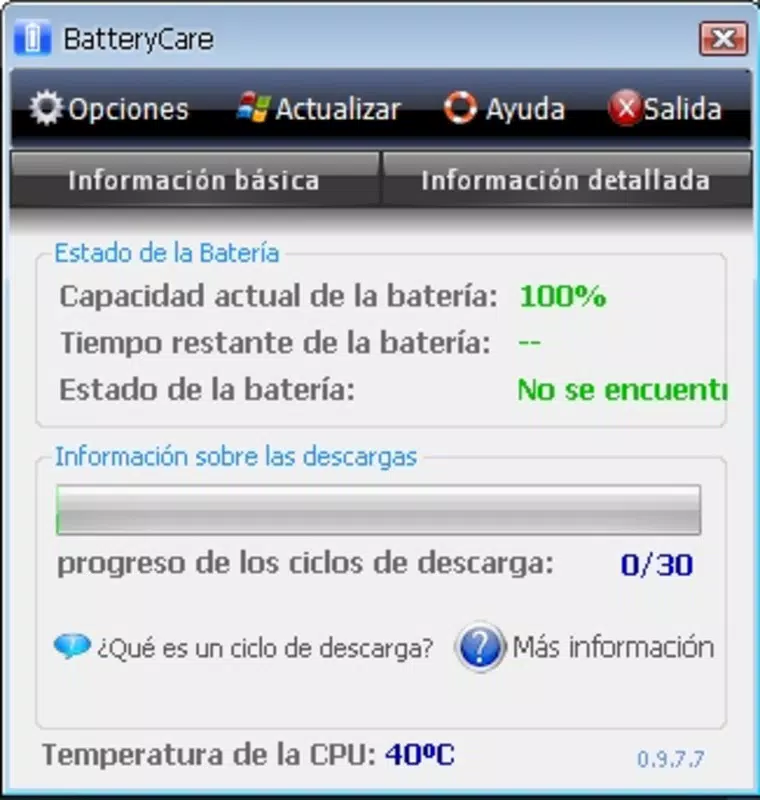
BatteryCare presents a streamlined user interface that emphasizes clarity and accessibility. The layout is organized around core metrics—battery level, temperature, and active power drains—ensuring users can assess their device’s health at a glance. Navigation is straightforward, with minimal taps required to access key functions.
Visual design is functional rather than decorative, using clear icons, color-coded indicators, and concise labels to convey status information. This approach supports quick decision-making without visual clutter. The app maintains consistent responsiveness across various screen sizes and resolutions, though the developer did not specify minimum OS requirements.
Although the developer did not list formal performance metrics, the app’s lightweight footprint of 3.8 MB suggests efficient resource usage. It is designed to operate in the background with minimal impact on system performance. Stability appears to be a priority, with no reported issues related to crashes or excessive battery drain from the app itself. The user experience is smooth and predictable, aligning with expectations for a productivity-focused utility.
Platform Compatibility & Technical Requirements
BatteryCare is available on the Android platform, making it accessible to a wide range of mobile and hybrid device users. The current version is 2.0.3, with a file size of 3.8 MB, indicating a compact and efficient design. The app is offered free of charge, removing financial barriers to access.
While the developer has not disclosed specific operating system versions or hardware requirements, the app’s lightweight nature suggests compatibility with most modern Android devices. Users should ensure their device supports background monitoring and battery health data access to fully utilize the app’s features. The release date of August 20, 2019, indicates a mature product with a history of updates and user feedback.
Pros and Cons
Pros
- Lightweight design with minimal storage impact (3.8 MB)
- Free to download and use with no in-app purchases
- Real-time monitoring of battery usage and temperature
- Customizable power modes for different usage scenarios
- Intuitive interface suitable for users of all technical levels
Cons
- Specific compatibility requirements were not listed
- Developer did not provide detailed performance benchmarks
- Only available on Android, limiting cross-platform access
- No public update frequency or changelog provided
- Functionality depends on device-level permissions not fully disclosed
FAQ
Is BatteryCare safe to install on my Android device?
Yes, the app is free from known malware and operates within standard Android permissions. It does not require root access or excessive system privileges.
Can I use BatteryCare on my tablet or only on notebooks?
BatteryCare is designed for Android devices, including tablets and hybrid notebooks. Its functionality applies to any device with a battery and Android OS.
Does BatteryCare drain my battery?
No. The app is engineered to consume minimal power while monitoring battery health. Its design prioritizes efficiency to avoid counterproductive energy use.
How often does the app update?
The developer has not publicly shared update frequency details. However, the app has remained functional since its release in 2019.
Is BatteryCare available for iOS devices?
Currently, BatteryCare is only available on the Android platform. There is no official iOS version announced.
Final Thoughts
BatteryCare stands out as a focused, efficient solution for users seeking to maintain optimal battery health on their Android-powered notebooks. With its real-time monitoring, temperature tracking, and customizable power modes, the app delivers tangible benefits for anyone who depends on mobile productivity. Its clean interface and low resource usage make it a reliable companion for both casual and professional users.
While it lacks cross-platform availability and detailed technical documentation, its core functionality remains highly relevant in today’s mobile-first world. For those looking to extend battery life, reduce wear, and manage power intelligently, BatteryCare offers a straightforward, no-cost tool that performs exactly as advertised.
Download BatteryCare now


